Fruitful
Produce More.
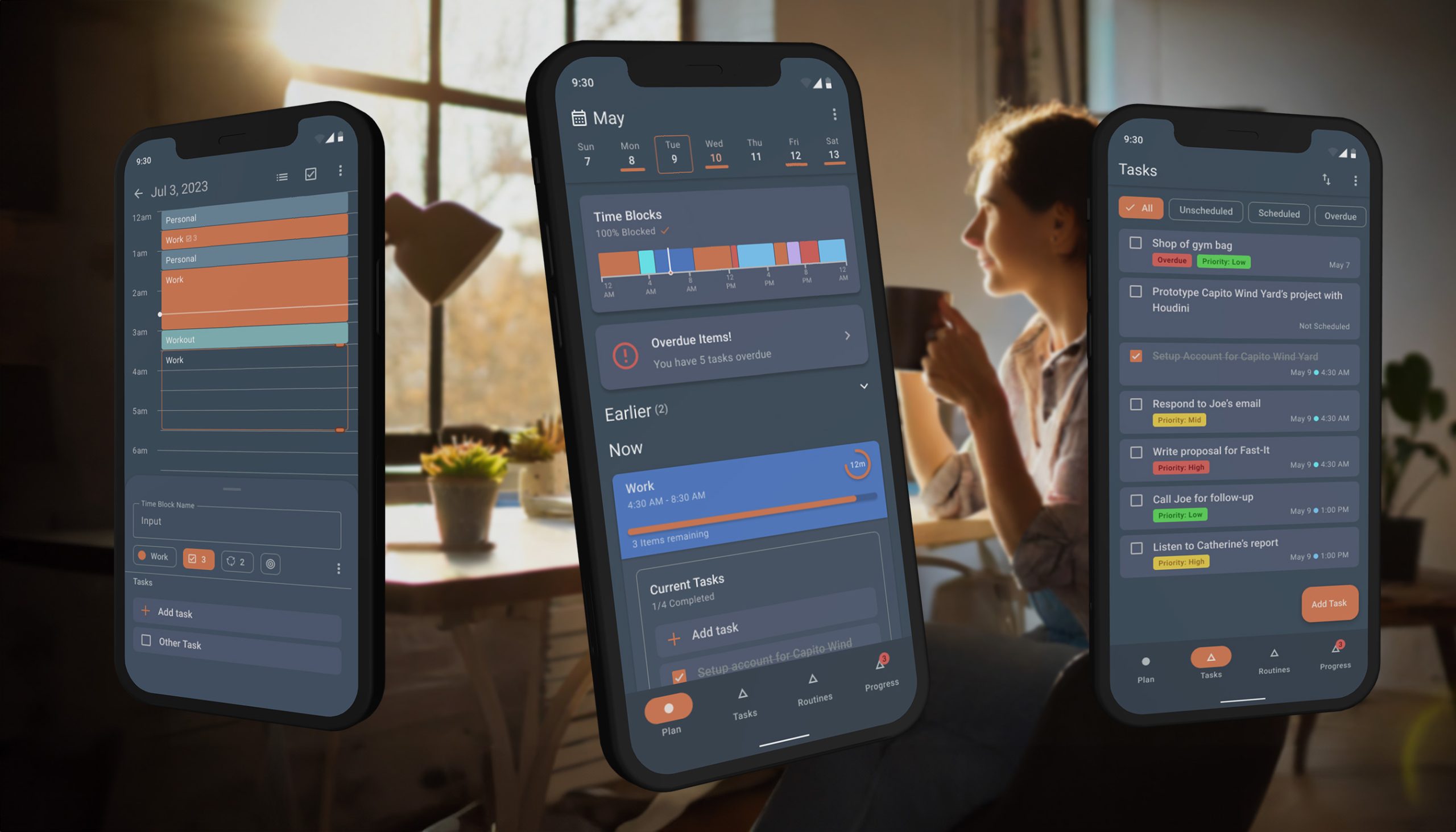
Project Overview
Fruitful helps users manage their time and achieve deep work through time-blocking. It’s designed as a flexible guide, not a rigid schedule, empowering users to align time with goals and adapt to change.
Target Audience
Students, entrepreneurs, and creatives seeking intentional time allocation.
Core Philosophy
Be a flexible guide, not a rigid schedule, to empower users.
Primary Goal
Enable users to achieve 'flow state' and deep work consistently.
Anti-Hook Model
Designed for quick, efficient use to maximize user focus outside the app.
Design Evolution
Watch how the design evolved from rough sketches to polished interfaces
Atomic Design
A weathered, rustic color scheme combined with a clean, mostly flat UI. Subtle shadows create depth and hierarchy, inspired by finely crafted outdoor gear.
Design Philosophy
Minimalist yet warm, designed to reduce cognitive load while maintaining visual appeal.
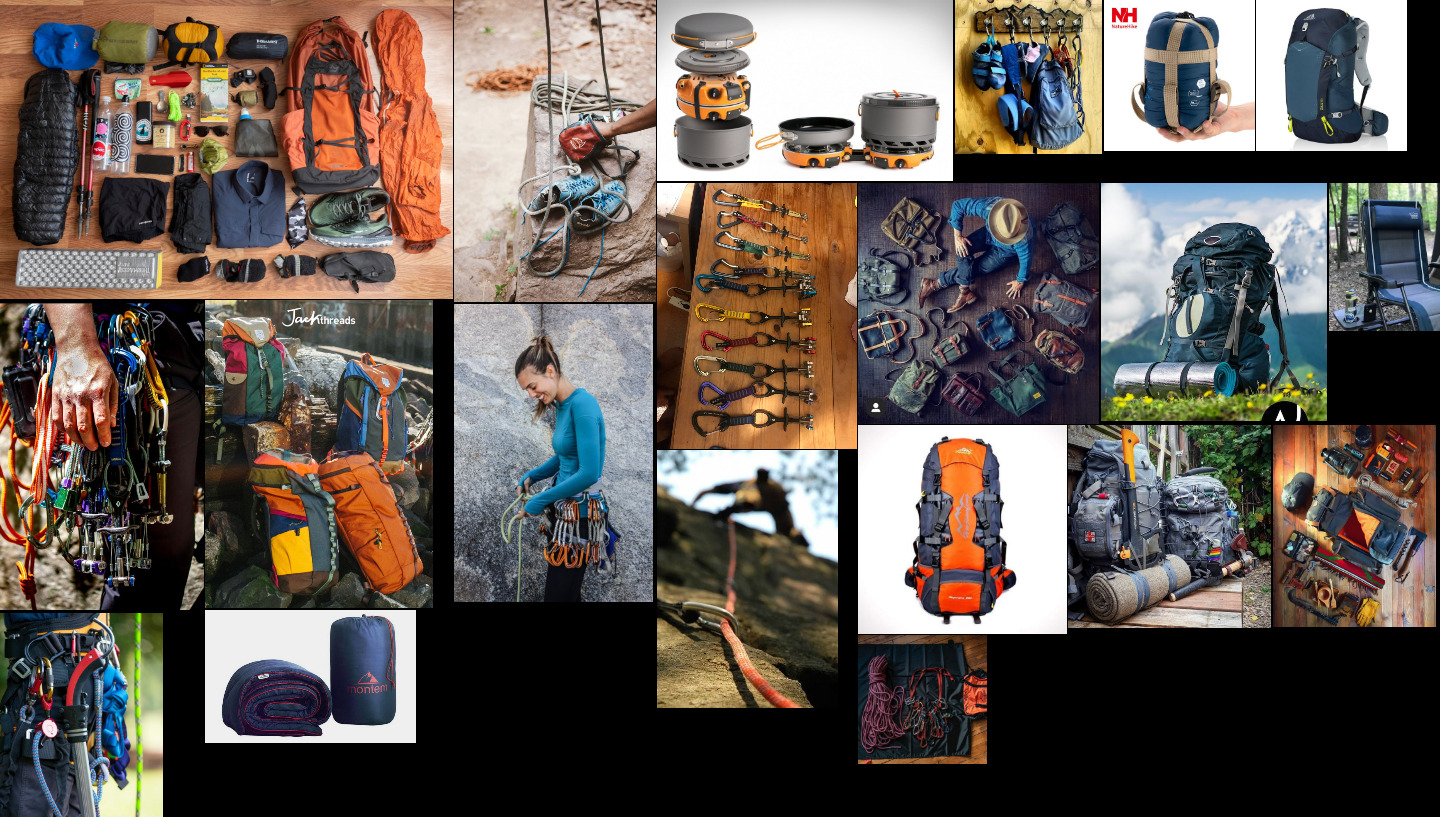
Color palette moodboard inspired by outdoor gear
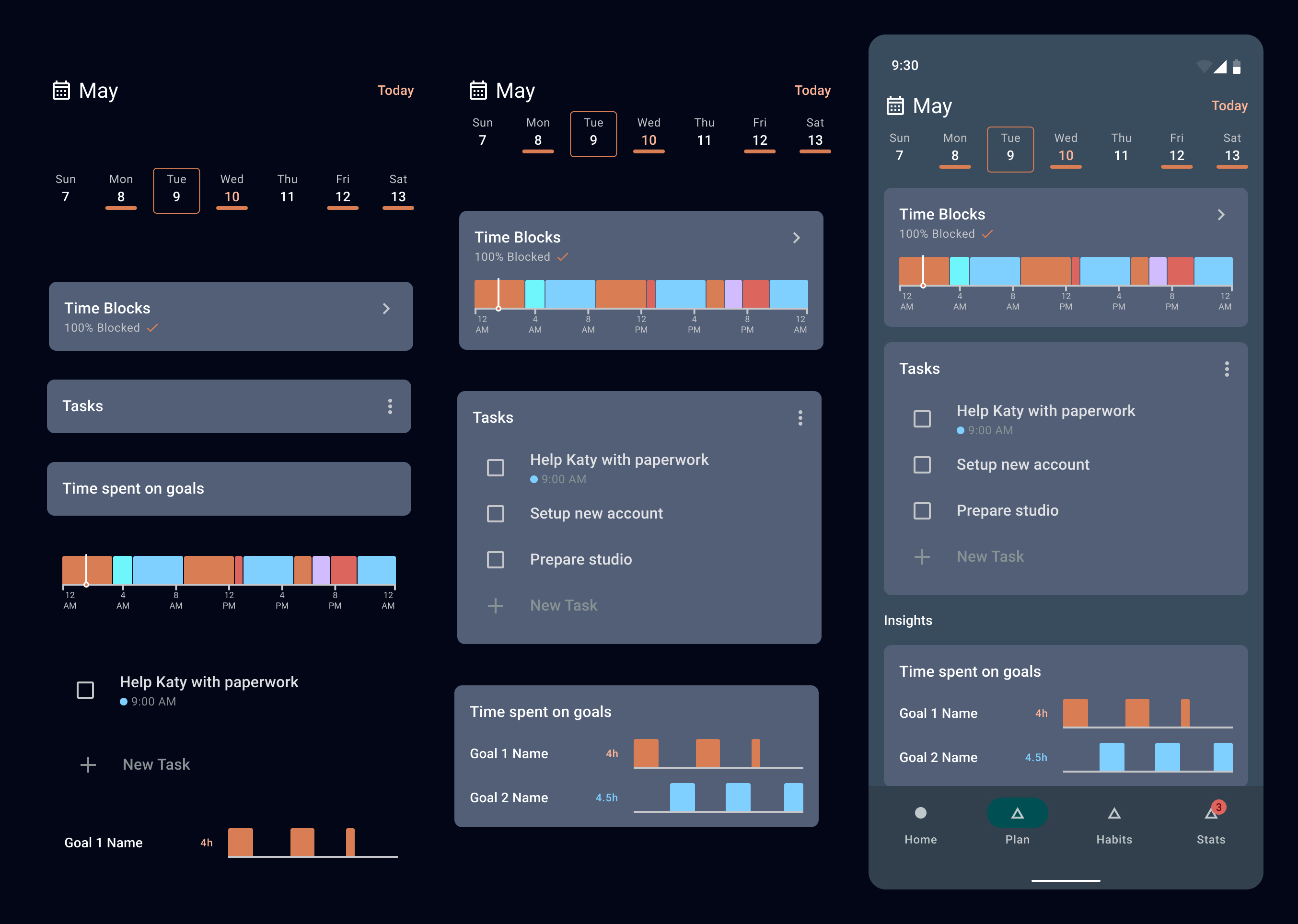
Atomic breakdown
Components
Components are designed not only for figma reuse, but also for code reuse. Each component is modular and adaptable, allowing for easy updates and consistency across the app.
Data Driven Minimalism
The design uses visual structure to describe data, making the layout itself descriptive.
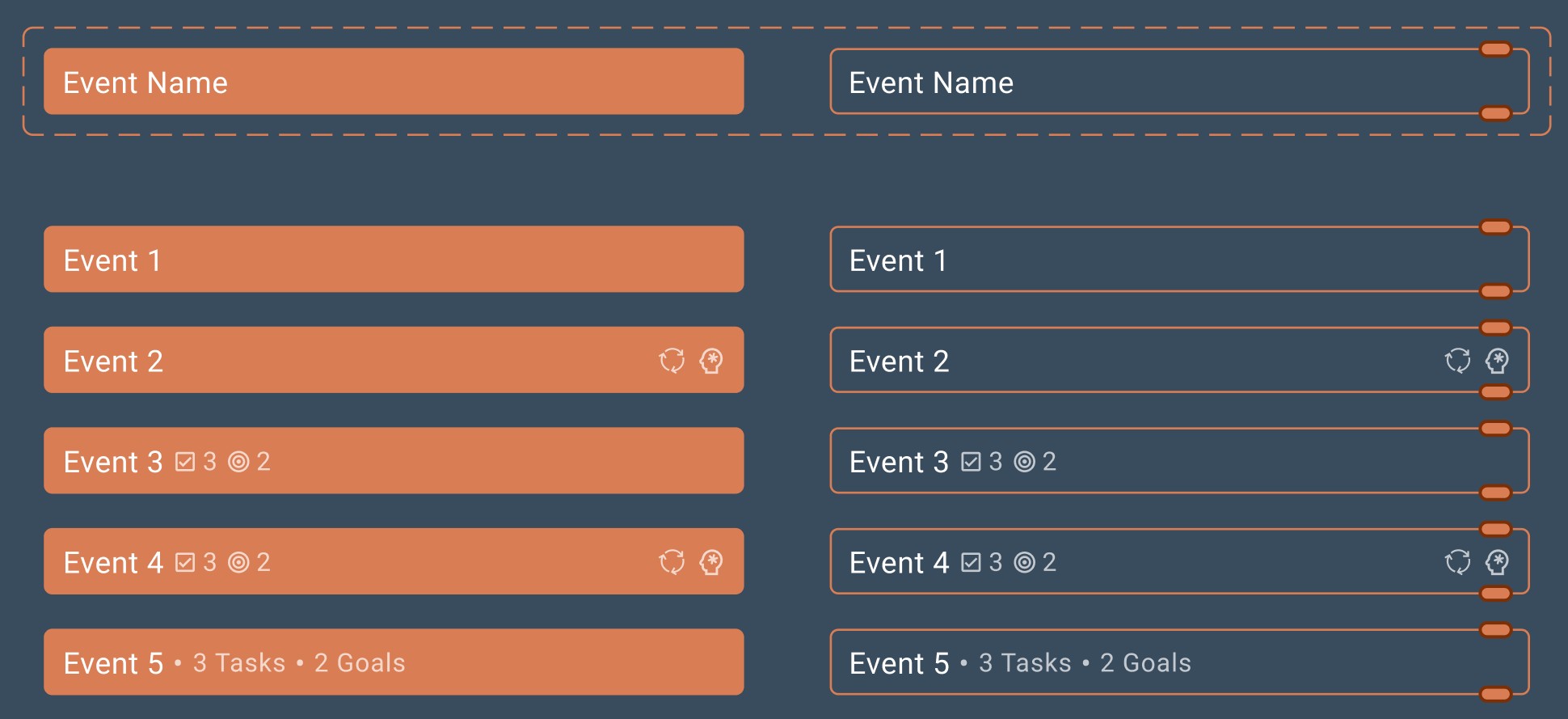
All states and variations are defined before development
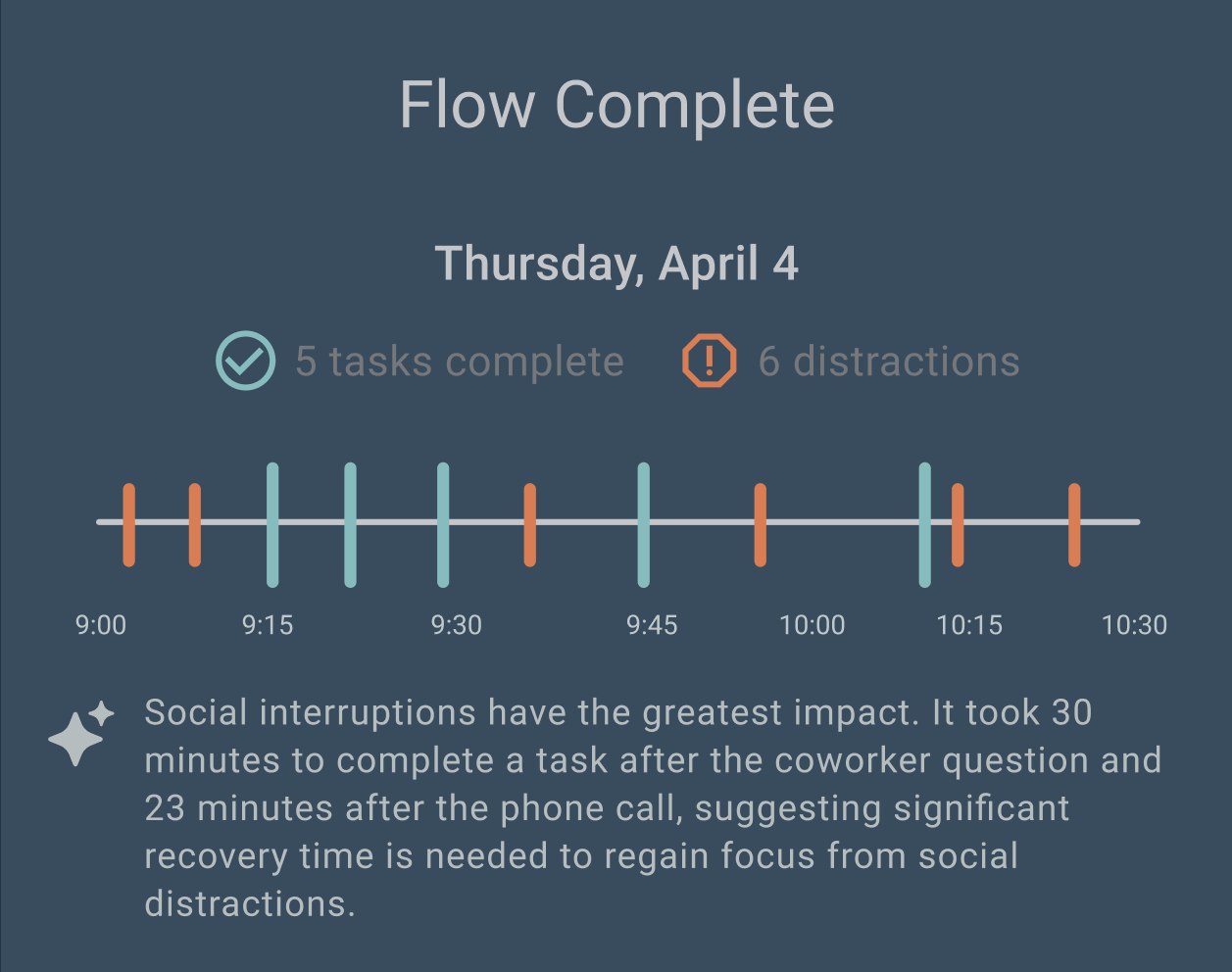
Graph-like structure for insightful data visualization
Screens and Modals
The core interaction screen, iterated upon dozens of times to perfect the fluid, drag-and-drop experience for managing a 24-hour schedule.
Accessibility Focused
Screens are built with integrated accessibility, covering touch targets, color contrast, and support for assistive technologies.
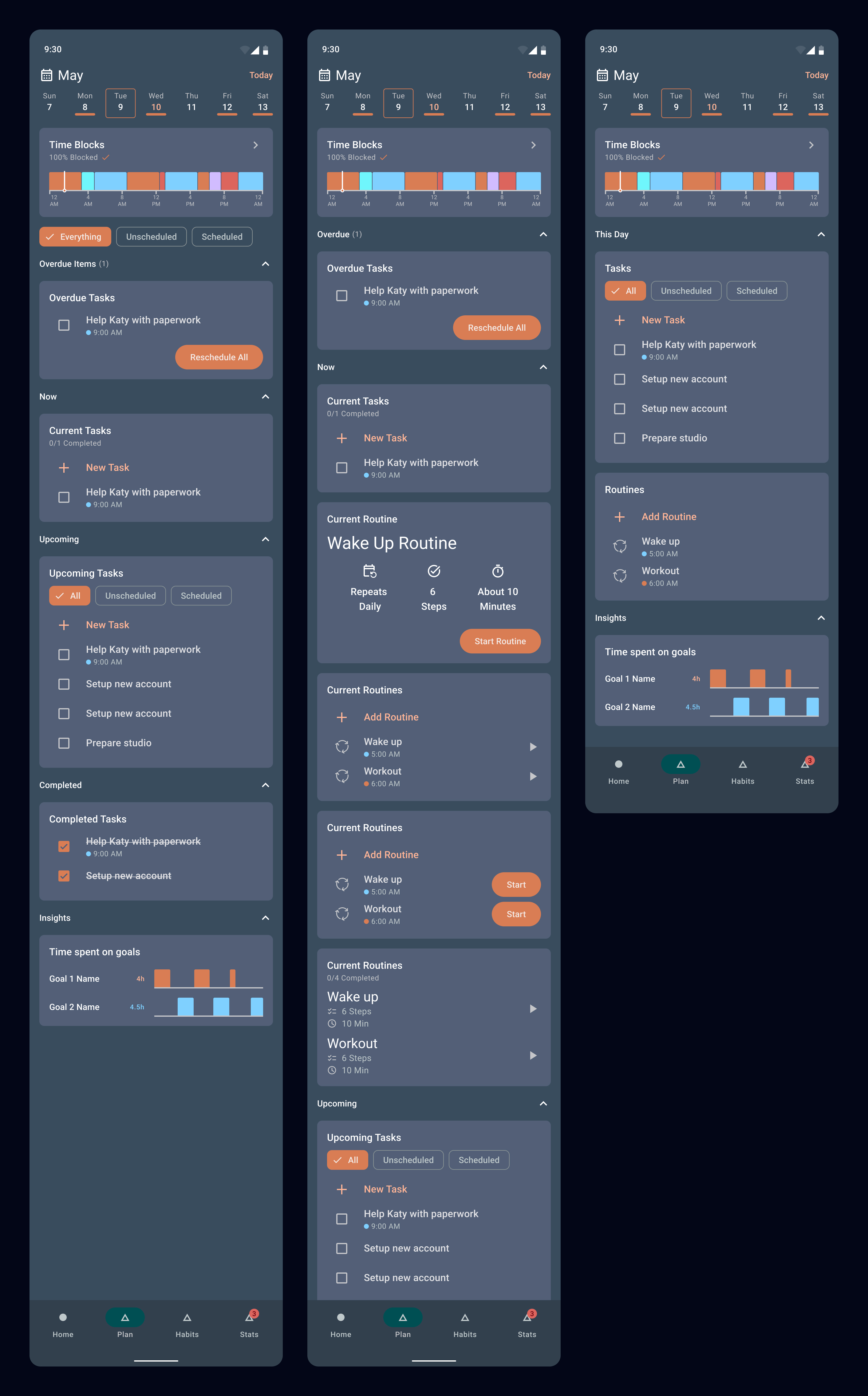
Simple and intuitive layout to gather insights at a glance
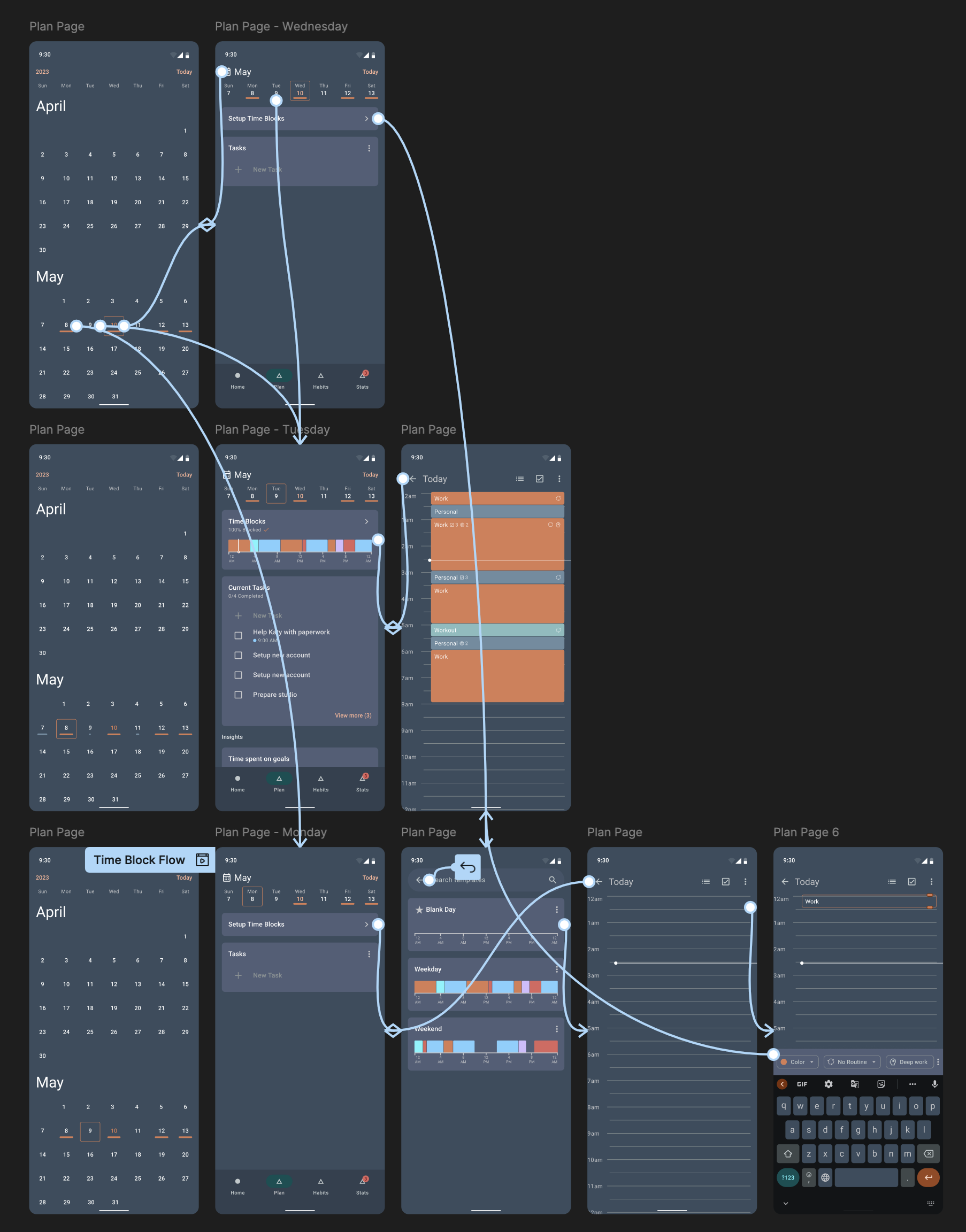
Pages are wireframed and user tested before building
Color Palette
Primary
#D97D54
Secondary
#6E8CA0
Background
#394C5E
Typography
Roboto, 1.5rem, 700
Roboto, 1rem, 400
Roboto, 0.875rem, 300
User Journey
Following our users from first discovery to becoming power users
Daily Schedule Creation
Phase 1
Planning a full day requires an excessive number of clicks for each individual entry.
Pain Point
Repetitive clicks made daily scheduling a slow, burdensome, and inefficient experience for users.
Solution
Reducing clicks per time block made filling a daily schedule significantly faster and easier.
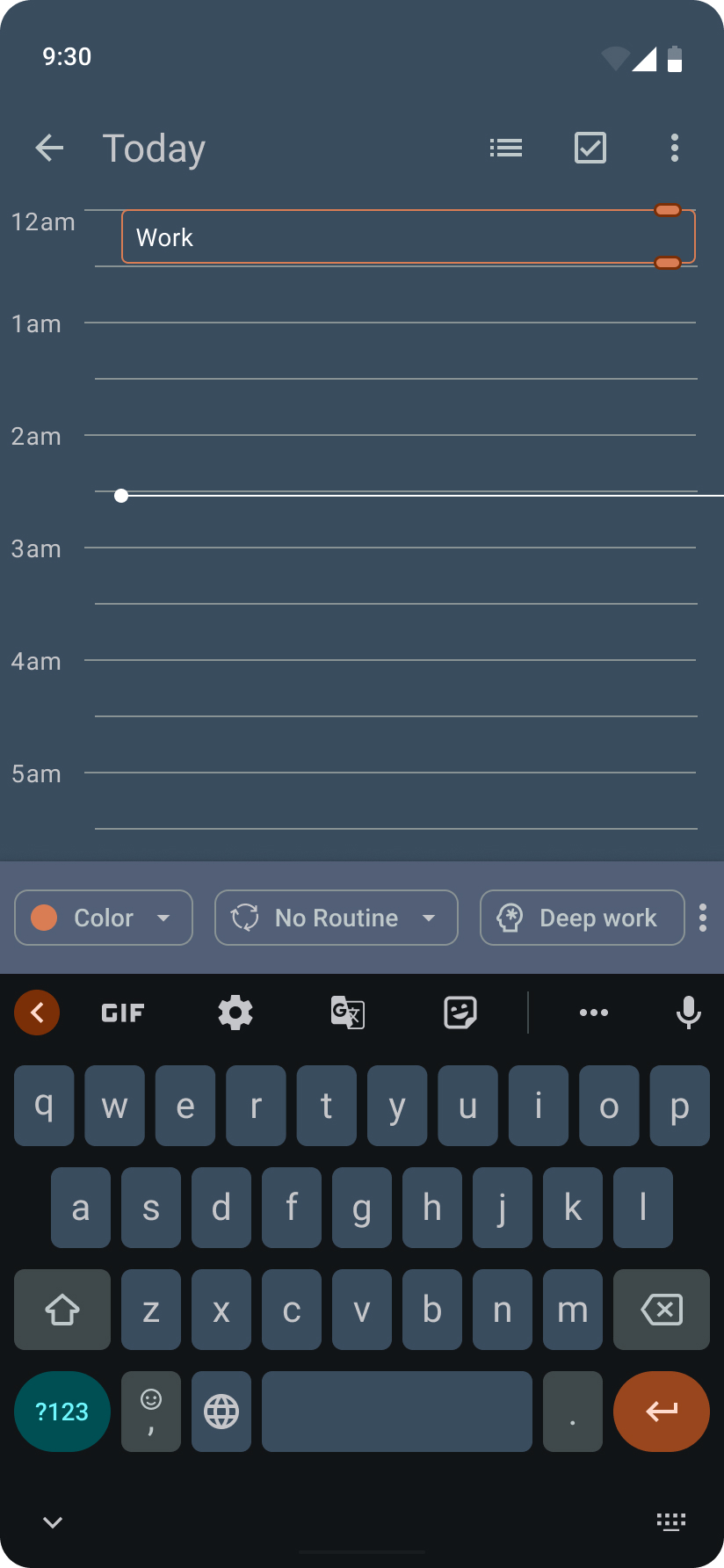
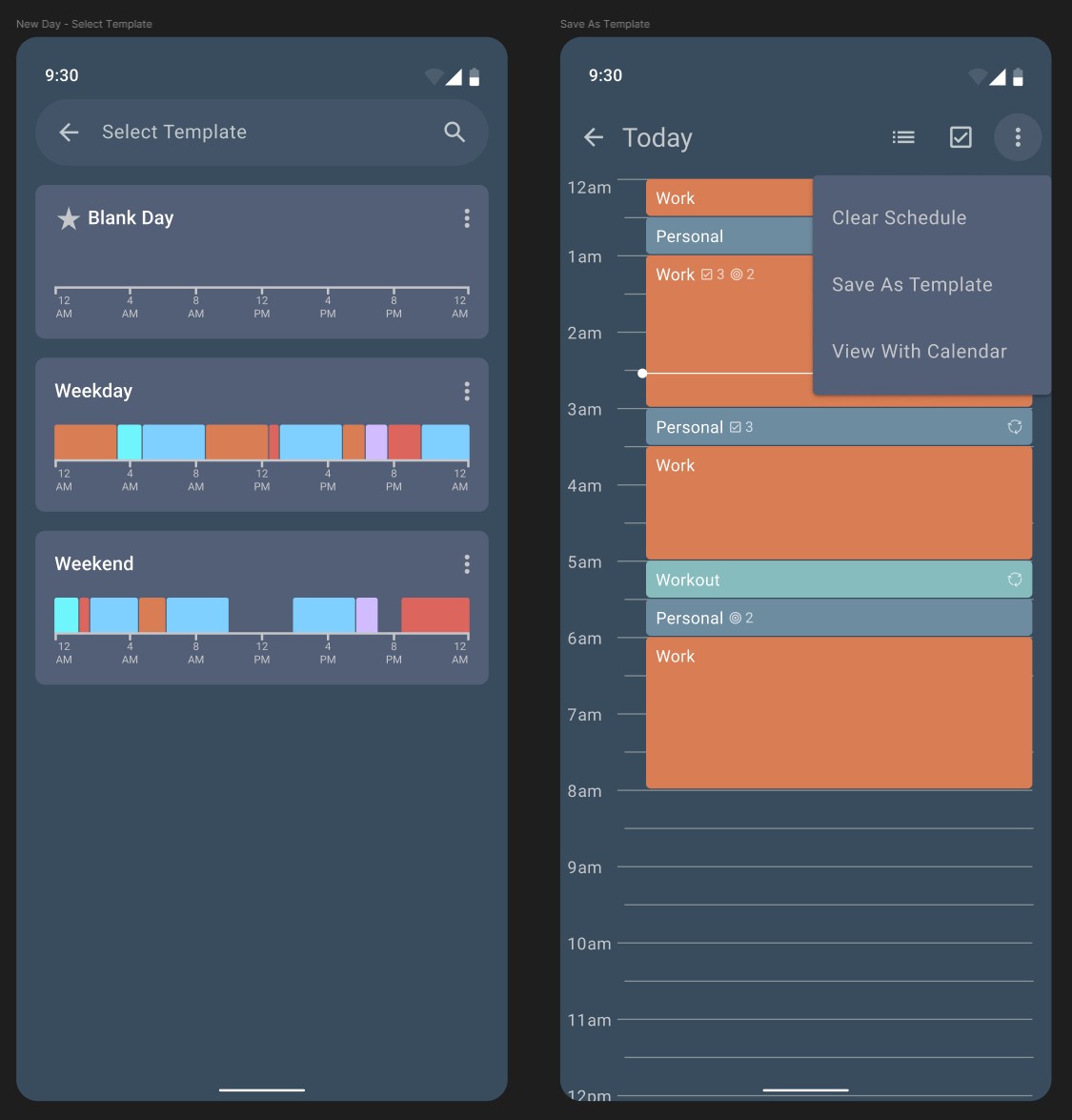
Planning Common Days
Phase 2
For days with a predictable structure, the user must recreate the schedule from scratch.
Pain Point
Manually rebuilding the same schedule is tedious and inefficient.
Solution
Save any day as a template to apply instantly to future or recurring dates
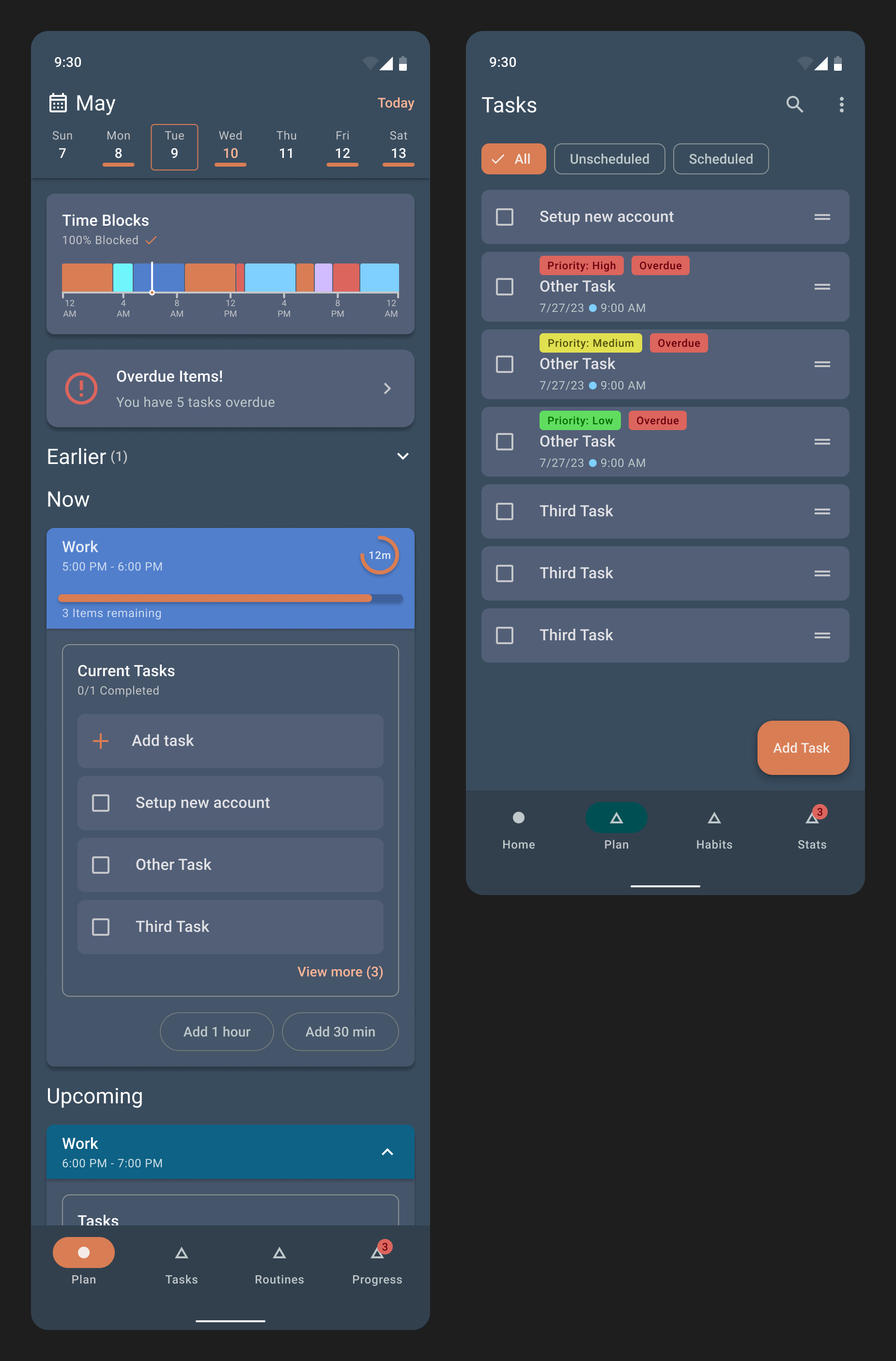
Deciding What's Next
Phase 3
With a long list of tasks, deciding what to focus on becomes a task itself.
Pain Point
Manually sorting through tasks wastes energy and creates friction before work even begins.
Solution
Tasks are categorized by work type, automatically surfacing a prioritized list of what's relevant.
Getting into Flow
Phase 4
Without a structured transition, it takes significant time to mentally shift between tasks.
Pain Point
Valuable energy is wasted as the mind struggles to disengage and refocus.
Solution
Create custom transition routines that walk you through the steps to enter flow faster.

User Personas

Alexa Jones
College Student
Build a consistent study routine

Mike Chen
Marketing Manager
Protect time for important work
Sarah Garcia
Coffee Shop Owner
Streamline weekly administrative tasks
Development Process
From initial concept to final delivery - a structured approach to building great software
Research & Foundational Learning
Step 1Began with personal use and competitive analysis of existing apps. Conducted extensive reading on 'Flow' and 'Deep Work' to establish core design principles.
Analyzed 15+ time management apps, read 5+ books on productivity, and established core UX principles.
Core Interaction Design
Step 2Focused exclusively on designing and wireframing the 'Day View' in Figma to nail the core user interaction of creating and managing time blocks.
Created 20+ wireframe iterations, established gesture vocabulary, and defined interaction patterns.
Initial Prototyping
Step 3Built a functional prototype of the 'Day View' to validate the custom drag-and-drop interaction, which required native iOS and Android code.
Developed custom gesture recognizers, implemented native UI components, and validated technical feasibility.
User Testing & Feedback
Step 4Shared the MAUI prototype with friends and family, conducting live feedback sessions to gather insights and iterate on the design and functionality in real-time.
Conducted 10+ user testing sessions, gathered qualitative feedback, and identified key usability improvements.
Re-platforming & Development
Step 5Currently rebuilding the application using .NET Blazor to enable a unified codebase for both web and mobile platforms.
Migrating to Blazor architecture, implementing responsive design, and preparing for web deployment.
Key Decisions
- Chose .NET MAUI over React Native for better native performance and C# expertise.
- Implemented custom drag-and-drop rather than using existing libraries for precise control.
- Added calendar integration after user feedback revealed mental model mismatches.
- Pivoted to Blazor for unified web and mobile development experience.
Timeline
Challenges & Solutions
Technical hurdles overcome and innovative solutions implemented during development
Challenge
The desired drag-and-drop system for the 'Day View' needed to function seamlessly without conflicting with page scrolling, an interaction not natively supported by standard UI frameworks.
Solution
Developed custom native code for both Android and iOS within the .NET MAUI framework to achieve the precise, fluid interaction required. Then re-solved using javascript in .NET Blazor.
Challenge
Initial user testing revealed that users unfamiliar with time-blocking expected the app to work like a traditional calendar, finding the concept restrictive or confusing.
Solution
Introduced integrations with Google Calendar and Outlook to show events alongside time blocks, creating a familiar reference point. This also highlighted the need to market the app to users already familiar with the concept and educate new users.
Challenge
Progress stalled after trying to perfect the entire app design in Figma at once, shifting from an agile to a waterfall methodology and losing confidence with each subsequent change.
Solution
Recognized the process flaw and refocused on a true agile cycle: designing, building, and testing small, functional pieces to validate ideas earlier and build momentum.
Technical Deep Dive
Custom Gesture Recognition
Implemented platform-specific touch handling for precise drag-and-drop interactions.
Calendar API Integration
Seamlessly integrated multiple calendar providers while maintaining app performance.
Cross-Platform Development
Maintained consistent UI/UX across iOS, Android, and web platforms.
Interested in working together?
Let's discuss your next project and bring your vision to life
Get In Touch